
Adobe Premiere Pro CC Course in Dubai
Master Premiere Pro with hands-on projects
Learn from industry veterans with proven techniques
Explore non-linear editing for flexible storytelling
Convenient and hassle-free payment plans
Access advanced tools and personalised support
Flexible learning options

 4.9/5
4.9/56658 EnrolledEnrolled Learners
4.9/56658 EnrolledEnrolled Learners
Overview
What our training includes
- Offers expert training in Adobe Premiere Pro CC, from basic to advanced techniques
- Provides hands-on experience with editing, audio, colour grading, and visual effects
- Develops non-linear editing and media organization skills for professional content
- Prepares learners for roles in film, TV, and digital media
- Assesses progress with practical exercises and interactive lessons
- Guides on using Adobe Creative Cloud tools like After Effects and Audition
- Equips students with in-demand video editing skills for Dubai’s media sector
Upcoming sessions
Curriculum
1
Starting the lesson
2
Performing nonlinear editing in premiere pro
3
Expanding the workflow
4
Touring the premiere pro interface
5
Keyboard shortcuts
1
Starting the lesson
2
Creating a project
3
Setting up a sequence
1
Starting the lesson
2
Importing assets
3
Working with ingest options and proxy media
4
Working with the media browser panel
5
Importing still image files
6
Using adobe stock
7
Customizing the media cache
8
Recording a voice-over
1
Starting the lesson
2
Using the project panel
3
Working with bins
4
Monitoring footage
5
Modifying clips
1
Starting the lesson
2
Using the source monitor
3
Navigating the timeline
4
Using essential editing commands
1
Starting the lesson
2
Using program monitor controls
3
Setting the playback resolution
4
Playing back VR video
5
Using markers
6
Using sync lock and track lock
7
Finding gaps in the timeline
8
Selecting clips
9
Moving clips
10
Extracting and deleting segments
1
Starting the lesson
2
What are transitions?
3
Using edit points and handles
4
Adding video transitions
5
Using a/b mode to fine-tune a transition
6
Adding audio transitions
1
Starting the lesson
2
Performing four-point editing
3
Changing playback speed
4
Replacing clips and footage
5
Nesting sequences
6
Performing regular trimming
7
Performing advanced trimming
8
Trimming in the Program Monitor
1
Starting the lesson
2
Adjusting the motion effect
3
Changing clip position, size, and rotation
4
Working with keyframe interpolation
5
Using other motion-related effects
1
Starting the lesson
2
Following the multicamera process
3
Creating a multicamera sequence
4
Switching multiple cameras
5
Finalizing multicamera editing
1
Starting the lesson
2
Setting up the interface to work with audio
3
Examining audio characteristics
4
Recording a voice-over track • Adjusting audio volume
5
Creating a split edit
1
Starting the lesson
2
Sweetening sound with the essential sound panel
3
Adjusting dialogue
1
Starting the lesson
2
Working with effects
3
Working with master clip effects
4
Masking and tracking visual effects
5
Using keyframing effects
6
Using effect presets
7
Using frequently used effects
8
Rendering and replacing
1
Starting the lesson
2
Following a color-oriented workflow
3
Exploring the color-oriented effects
4
Fixing exposure problems
5
Fixing color balance
6
Using special color effects
7
Creating a look
1
Starting the lesson
2
What is an alpha channel?
3
Making compositing part of your projects
4
Working with the opacity effect
5
Working with alpha-channel transparencies
6
Color keying a greenscreen shot
7
Masking clips
1
Starting the lesson
2
Getting an overview of the essential graphics panel
3
Mastering video typography essentials creating titles
4
Styling text
5
Working with shapes and logos making text roll and crawl
6
Introducing captions
1
Starting the lesson
2
Using the file menu
3
Using the project manager
4
Performing the final project management steps
5
Browsing projects with the media browser panel
6
Managing collaboration
7
Using the Libraries panel
8
Managing your hard drives
1
Starting the lesson
2
Understanding the export options
3
Exporting single frames
4
Exporting a master copy
5
Working with adobe media encoder CC
Meet your Trainer
Syed Iqrar Ali Shah
Syed Iqrar Ali Shah is a highly experienced CG artist and Graphic Designer with over 27 years in the industry. Proficient in REVIT, AutoCAD, 3Ds Max, V-Ray, and Photoshop, he is renowned for his exceptional communication skills, confidence, and artistic expertise.
Mr. Shah’s problem-solving abilities and meticulous attention to detail enable him to address complex design challenges effectively. He is also skilled in After-Effects, Illustrator, and InDesign and possesses a robust background in 2D and 3D visualization and training.
His experience in both design and instruction makes him an ideal candidate for roles that require advanced technical skills and the ability to mentor others.
Core Competencies:
- 3D Visualisation and Post Production
- Entertainment Special Effects
- Architectural Broadcast Design
- Product Motion Graphics
- Editing & Compositing
Professional Qualification:
- Bachelor in Multimedia Sciences
- Advanced Diploma in Multimedia Sciences
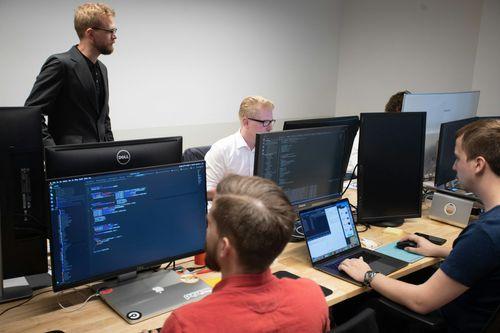
Learning Objectives
Once you complete the training, you will be able to:
1
Learn Adobe Premiere Pro CC basics to advanced editing techniques
2
Develop skills in nonlinear editing, media organization, and workflow management
3
Offer practical experience with audio editing, color grading, and visual effects
4
Understand advanced video editing tools for professional content creation
5
Learn to integrate Adobe Creative Cloud tools like After Effects and Audition
6
Understand how to create high-quality content for film, TV, and digital platforms
7
Develop the ability to manage complex projects and meet industry deadlines

KHDA Certificate
Earn a KHDA attested Course Certificate. The Knowledge and Human Development Authority (KHDA) is the educational quality assurance and regulatory authority of the Government of Dubai, United Arab Emirates.

Learners Point Certificate
Earn a Course Completion Certificate, an official Learners Point credential that confirms that you have successfully completed a course with us.

Overall ratings by our students
Related courses
Frequently asked questions
Adobe Premiere Pro CC is a professional non-linear video editing software used by filmmakers, content creators, and editors. It allows users to edit videos with advanced features, including media organization, video effects, and color correction.
Our Adobe Premiere Pro CC course in Dubai offers personalized training with hands-on projects. You will learn from expert instructors and receive guidance on integrating Premiere Pro with other Adobe Creative Cloud tools. This ensures a well-rounded learning experience.
Participants will learn to use Adobe Premiere Pro for video editing, mastering nonlinear editing, media organization, audio editing, colour grading, and visual effects. As well as, integrate with other Adobe Creative Cloud tools.
Completing this course opens up various career opportunities in Dubai’s growing media sector, including:
-
Film Production: Video editor, assistant editor, or production coordinator
-
Digital Marketing: Video content creator or social media video editor
-
Content Creation: Freelance video editor for online creators or YouTubers
-
TV Production: Video editor or post-production specialist for TV shows
-
Post-Production: Editor or visual effects specialist in editing houses
Learning Adobe Premiere Pro offers several benefits:
-
Industry Recognition: Widely recognized as a top video editing software
-
Career Growth: Opens job opportunities in media, film, and digital marketing
-
In-Demand Skill: Highly sought after in Dubai's growing digital sector
-
Advanced Tools: Provides features like multi-camera editing, colour grading, and audio mixing
-
Creative Flexibility: Enables dynamic, non-linear video editing for better storytelling
Through a step-by-step approach, the course covers everything from basic editing techniques to advanced concepts, including media management, transitions, effects, and colour correction.
Do you want to learn more about Learners Point Academy?
- Learn more about courses
- Understand about our methodology
- Let’s talk about Corporate trainings
- Anything else that you want to know, we are here for you!

