AZ-140T00: Configuring and Operating Microsoft Azure Virtual Desktop
24 hours of extensive learning
Curriculum contains 5 revised modules
Learn how to set up an Azure Virtual Desktop environment
Pick sessions from weekday or weekend options
Online, onsite & classroom learning modes

 4.9/5
4.9/56660 EnrolledEnrolled Learners
4.9/56660 EnrolledEnrolled Learners
Overview
What you will learn
- Configure user settings and profiles
- Manage and optimise virtual desktop resources
- Monitor and troubleshoot desktop performance
- Configure and operate application groups
- Integrate with Azure Active Directory
- Implement and govern FSLogix solutions
- Prepare for the AZ-140T00 certification exam
Upcoming sessions
Curriculum
- •There are no specific prerequisites for the AZ-140T00: Configuring and Operating Microsoft Azure Virtual Desktop training. However, it is recommended that students have some prior experience with Windows PowerShell, Microsoft Windows Server, Windows 10, Microsoft Azure, and Office 365.
- •Windows Virtual Desktop Architecture
- •Design the WVD architecture
- •Design for User Identities and Profiles
- •Prepare for Deployment of Azure Windows Virtual Desktop (Azure AD DS)
- •Prepare for Deployment of Azure Windows Virtual Desktop (AD DS)
- •Implement and Manage Networking for WVD
- •Implement and Manage Storage for WVD
- •Create and Configure Host Pools and Session Hosts
- •Create and Manage Session Host Image
- •Create and Configure Host Pools and Session Hosts (Azure AD DS)
- •Deploy Host Pools and Session Hosts by using the Azure portal (AD DS)
- •Implement and Manage Storage for WVD (Azure AD DS)
- •Deploy Host Pools and Hosts by using Azure Resource Manager Templates
- •Deploy and Manage Host Pools and Hosts by using PowerShell
- •Manage Access
- •Manage Security
- •Configure Conditional Access Policies for Connections to WVD (AD DS)
- •Implement and Manage FSLogix
- •Configure User Experience Settings
- •Install and Configure apps on a Session Host
- •Windows Virtual Desktop Profile Management (AD DS)
- •Windows Virtual Desktop application packaging (AD DS)
- •Plan and Implement Business Continuity and Disaster Recovery
- •Automate WVD Management Tasks
- •Monitor and Manage Performance and Health
- •Implement Autoscaling in Host Pools (AD DS)
Meet your Trainer
Our Trainers
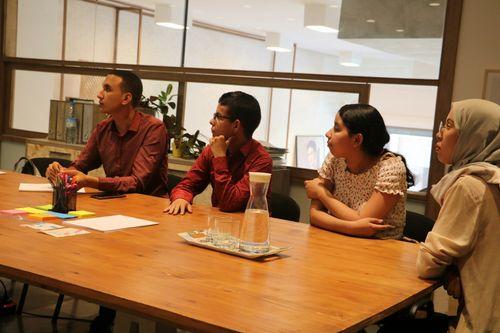
We, at Learners Point, take immense pride in our teaching methods and instructors. Our instructors are some of the best experts in their fields and employ a practical approach to learning. Many of them are globally recognised and have a diverse set of experience in their field of expertise. You are always sure to have the best in the industry as your teachers who are ready to guide you at every step and make the experience informative yet enjoyable. Apart from the focus on learning your chosen course, our instructors also encourage students to develop communication skills and interpersonal skills necessary to excel in the practical world.
Our cutting edge teaching methods make every program an immersive and productive experience for the learners. Our learning methods are research-driven and are continuously updated to stay relevant to present times as well as the future. You will enjoy practical applications of everything learned through theory and regular mock examinations to help monitor your progress. Our courses are led by an instructor in a classroom setup and we do offer online high-quality sessions as well for individuals. We also monitor the training sessions with a progress tracker to maintain high standards of instruction & ethics.
Meet your Trainer
Our Trainers
We, at Learners Point, take immense pride in our teaching methods and instructors. Our instructors are some of the best experts in their fields and employ a practical approach to learning. Many of them are globally recognised and have a diverse set of experience in their field of expertise. You are always sure to have the best in the industry as your teachers who are ready to guide you at every step and make the experience informative yet enjoyable. Apart from the focus on learning your chosen course, our instructors also encourage students to develop communication skills and interpersonal skills necessary to excel in the practical world.
Our cutting edge teaching methods make every program an immersive and productive experience for the learners. Our learning methods are research-driven and are continuously updated to stay relevant to present times as well as the future. You will enjoy practical applications of everything learned through theory and regular mock examinations to help monitor your progress. Our courses are led by an instructor in a classroom setup and we do offer online high-quality sessions as well for individuals. We also monitor the training sessions with a progress tracker to maintain high standards of instruction and ethics.
Learning Outcomes
Upon finishing the training, you will master
1
Acquire the ability to plan, deploy and manage Virtual Desktop Infrastructure (VDI) on Azure for efficient virtual desktop environments
2
Configure personal and pooled virtual desktops, enabling work-at-home scenarios and optimised resource utilisation
3
Secure access to virtual desktops with multi-factor authentication, ensuring data protection and user authentication
4
Become competent in troubleshooting virtual desktop issues and identifying and resolving common challenges
5
Gain knowledge of configuring cloud-hosted applications and implementing high-availability workloads
6
Monitor and automate Virtual Desktop Management, leveraging tools like Azure PowerShell and Azure Active Directory Application Proxy

Learners Point Certificate
Earn a Course Completion Certificate, an official Learners Point credential that confirms that you have successfully completed a course with us.

KHDA Certificate
Earn a KHDA attested Course Certificate. The Knowledge and Human Development Authority (KHDA) is the educational quality assurance and regulatory authority of the Government of Dubai, United Arab Emirates.

CPD Certification
Earn a globally recognized CPD UK Certification with professional credit points. This certificate can be attested by The UAE Ministry of Foreign Affairs and International Cooperation for UAE visa issuance.

Prerequisites
Somethings you need before starting
- There are no specific prerequisites for the AZ-140T00 Configuring and Operating Microsoft Azure Virtual Desktop Training.
- However, it is recommended that students have some prior experience with Windows PowerShell, Microsoft Windows Server, Windows 10, Microsoft Azure and Office 365.
Overall ratings by our students
Related courses
Frequently asked questions
There is a growing demand for professionals with the Administering AZ-140T00: Configuring and Operating Microsoft Azure Virtual Desktop certification in the global job market. As organizations increasingly adopt cloud-based virtual desktop solutions, certified individuals are sought after for their expertise in configuring, deploying, and managing Azure Virtual Desktop environments.
The AZ-140T00: Configuring and Operating Microsoft Azure Virtual Desktop certification enhances your profile by equipping you with the knowledge and skills to effectively configure and manage virtual desktop environments on Azure. This valuable expertise positions you for career opportunities in cloud-based desktop virtualization and demonstrates your proficiency in Azure Virtual Desktop management.
Attending the AZ-140T00: Configuring and Operating Microsoft Azure Virtual Desktop certification course is essential to gain the knowledge and skills required to effectively configure and manage virtual desktop environments on Azure. It equips you with the expertise to optimize performance, troubleshoot issues, and secure access to virtual desktops, enhancing your career prospects in cloud-based desktop virtualization.
The AZ-140T00: Configuring and Operating Microsoft Azure Virtual Desktop certification course is designed for system administrators who need to deploy and manage Windows desktops in a cloud environment and have some experience with Virtual Desktop Infrastructure (VDI).
The training sessions at Learners Point are an interactive, immersive, and intensive hands-on programme. We offer three modes of delivery and participants can choose from instructor-led classroom-based group coaching, one-to-one training session, or high-quality live and interactive online sessions as per convenience.
At Learners Point Academy, if a participant doesn’t wish to proceed with the training after the registration due to any reason, he or she is entitled to a 100% refund. However, the refund will be issued only if we are notified in writing within two days from the date of registration. The refund will be processed within four weeks from the day of exit.
Do you want to learn more about Learners Point Academy?
- Learn more about courses
- Understand about our methodology
- Let’s talk about Corporate trainings
- Anything else that you want to know, we are here for you!

