Microsoft 365 Identity and Services - MS 100 Certification Training
Practical identity training for real Microsoft 365 workplace setups
Streamline tenant planning, onboarding, and admin workflows
Resolve sign-in, sync, and permission issues confidently
Strengthen identity security with MFA and Conditional Access
Customised corporate batches with measurable learning outcomes

 4.85/5
6722 EnrolledEnrolled Learners
4.85/56722 EnrolledEnrolled Learners
Overview
What you will master with us
- Set up Microsoft 365 tenants with policies your teams can follow
- Control Azure Active Directory users, groups, roles, and admin access
- Protect sign-ins using multi-factor authentication and Conditional Access policies effectively
- Connect hybrid identities through Azure AD Connect synchronisation and configuration
- Enable secure collaboration with single sign-on, federation, and external access
- Apply Microsoft 365 services with Power Platform, Power BI, and Virtual Agents
Upcoming sessions
Curriculum
- •Plan your Tenant in Microsoft 365
- •Plan your On-premises Infrastructure for Microsoft 365
- •Plan your Identity and Authentication Solution for Microsoft 365
- •Plan your Supporting Infrastructure for Microsoft 365
- •Plan your Hybrid Requirements for your Microsoft 365 Deployment
- •Plan your Migration to Microsoft 365
- •Configure your Microsoft 365 Experience
- •Manage User Accounts and Licenses in Microsoft 365
- •Manage Groups in Microsoft 365
- •Add a Custom Domain in Microsoft 365
- •Configure Client Connectivity to Microsoft 365
- •Use FastTrack and Partner Services to Support Microsoft 365
- •Lab: Configure your Microsoft 365 Tenant
- •Configure Administrative Roles in Microsoft 365
- •Manage Tenant Health and Services in Microsoft 365
- •Manage User-driven Microsoft 365 Apps for Enterprise deployments
- •Implement Office Telemetry
- •Implement Workplace Analytics
- •Lab: Manage Your Microsoft 365 Tenant
- •Explore Exchange Online as a Microsoft 365 Enterprise Administrator
- •Explore SharePoint Online as a Microsoft 365 Enterprise Administrator
- •Explore Microsoft Teams as a Microsoft 365 Enterprise Administrator
- •Explore Microsoft Power Platform as a Microsoft 365 Enterprise Administrator
- •Create Apps as a Microsoft 365 Enterprise Administrator with Power Apps
- •Create Flows as a Microsoft 365 Enterprise Administrator with Power Automate
- •Create Reports and Dashboards as a Microsoft 365 Enterprise Administrator with Power BI
- •Create Chatbots as a Microsoft 365 Enterprise Administrator with Power Virtual Agents
- •Lab: Reviewing Office 365 Functionality
- •Explore Identity Synchronization
- •Plan for Azure AD Connect Implementation
- •Implement Azure AD Connect
- •Manage Synchronized Identities
- •Explore Password Management in Microsoft 365
- •Lab: Manage Identities
- •Implement Applications in Azure AD
- •Configure Azure AD Application Proxy
- •Explore Solutions for External Access
Meet your Trainer
Our Trainers
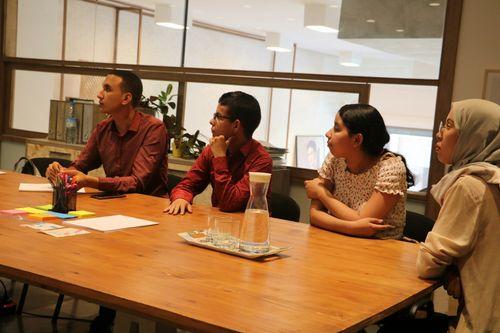
We, at Learners Point, take immense pride in our teaching methods and instructors. Our instructors are some of the best experts in their fields and employ a practical approach to learning. Many of them are globally recognised and have a diverse set of experience in their field of expertise. You are always sure to have the best in the industry as your teachers who are ready to guide you at every step and make the experience informative yet enjoyable. Apart from the focus on learning your chosen course, our instructors also encourage students to develop communication skills and interpersonal skills necessary to excel in the practical world.
Our cutting edge teaching methods make every program an immersive and productive experience for the learners. Our learning methods are research-driven and are continuously updated to stay relevant to present times as well as the future. You will enjoy practical applications of everything learned through theory and regular mock examinations to help monitor your progress. Our courses are led by an instructor in a classroom setup and we do offer online high-quality sessions as well for individuals. We also monitor the training sessions with a progress tracker to maintain high standards of instruction & ethics.
Meet your Trainer
Our Trainers
We, at Learners Point, take immense pride in our teaching methods and instructors. Our instructors are some of the best experts in their fields and employ a practical approach to learning. Many of them are globally recognised and have a diverse set of experience in their field of expertise. You are always sure to have the best in the industry as your teachers who are ready to guide you at every step and make the experience informative yet enjoyable. Apart from the focus on learning your chosen course, our instructors also encourage students to develop communication skills and interpersonal skills necessary to excel in the practical world.
Our cutting edge teaching methods make every program an immersive and productive experience for the learners. Our learning methods are research-driven and are continuously updated to stay relevant to present times as well as the future. You will enjoy practical applications of everything learned through theory and regular mock examinations to help monitor your progress. Our courses are led by an instructor in a classroom setup and we do offer online high-quality sessions as well for individuals. We also monitor the training sessions with a progress tracker to maintain high standards of instruction and ethics.
Learning Outcomes
Upon completion, you will:
1
Align Microsoft 365 tenant configuration to policy-driven onboarding across departments
2
Establish least-privilege governance using Azure Active Directory roles and access controls
3
Harden authentication with multi-factor authentication and Conditional Access to reduce risky sign-ins
4
Maintain hybrid identity continuity through Azure AD Connect synchronisation and configuration discipline
5
Monitor tenant health and services to cut outages and support tickets
6
Use FastTrack and Partner Services to reduce migration delays and rework

KHDA Certificate
Earn a KHDA attested Course Certificate. The Knowledge and Human Development Authority (KHDA) is the educational quality assurance and regulatory authority of the Government of Dubai, United Arab Emirates.

Learners Point Certificate
Earn a Course Completion Certificate, an official Learners Point credential that confirms that you have successfully completed a course with us.

Overall ratings by our students
Related courses
Frequently asked questions
Microsoft 365 Identity and Services – MS 100 training is a structured program that standardises how your organisation governs identities and access across Microsoft 365. It builds repeatable administration practices for cloud and hybrid environments so access decisions are consistent, reviewable, and easier to support. It is used when onboarding, external collaboration, and sign-in controls must work the same way across departments, not depend on individual administrators.
The Microsoft 365 Identity and Services training program delivers the highest impact for teams responsible for identity strategy and daily administration. Ideal participants include Microsoft 365 tenant owners and Azure Active Directory administrators. It is also suitable for security operations teams and IT support staff managing access requests and sign-in issues.
Cross-functional training improves governance alignment across teams. It reduces operational handoffs and creates a shared understanding of identity controls, hybrid synchronisation, and external access management.
Microsoft 365 Identity and Services – MS 100 training helps the organisation shift from ad-hoc access decisions to documented, repeatable governance. Teams establish clearer tenant configuration standards and define how identity decisions are owned, approved, and applied across departments. This creates consistency in day-to-day administration and reduces reliance on individual judgement when access requests, exceptions, or changes are needed.
It also strengthens audit readiness by aligning role-based access controls in Azure Active Directory with sign-in protections such as multi-factor authentication and Conditional Access. With controls applied consistently, it becomes easier to show who can access what, why controls exist, and how exceptions are handled. Internal reviews are supported through clearer evidence of policy enforcement and more predictable governance practices.
Yes. External collaboration is treated as a governed business capability, not an exception. The training helps teams align collaboration needs with identity controls and apply consistent rules for external access, federation, and single sign-on. It enables secure external work patterns while maintaining clear sign-in protections, predictable access boundaries, and reduced shadow IT across departments.
When identity controls vary by team or administrator, the same issues keep returning as escalations. MS 100 training reduces rework by helping teams apply one consistent operating approach. Some of the ways the training can help with recurring escalations are as follows:
- Standard tenant rules reduce “one-off” admin fixes
- Clear access ownership lowers back-and-forth approvals
- Consistent MFA and Conditional Access reduces risky sign-in exceptions
- Azure AD Connect discipline cuts sync-related login issues
- Shared support routines reduce repeated troubleshooting across teams
MS 100 training helps teams put clear rules in place so collaboration stays secure, consistent, and easy to support across departments.
- Agreed external access rules reduce ad-hoc partner onboarding
- Single sign-on and federation settings support controlled cross-organisation access
- Conditional Access policies apply consistent sign-in expectations externally
- Clear exception handling avoids unmanaged “temporary” access
- Documented routines keep collaboration consistent across departments
Do you want to learn more about Learners Point Academy?
- Learn more about courses
- Understand about our methodology
- Let’s talk about Corporate trainings
- Anything else that you want to know, we are here for you!

