PL-300T00: Design and Manage Analytics Solutions Using Power BI
25 hours of hands-on training with daily tasks to prepare for PL-300 certification
Use Microsoft Power BI for data modelling & transformation
Learn Advanced DAX, Row-Level Security and Fabric
Master PL-300 skills with Microsoft CoPilot for guided analysis
Automation Sandbox to practise end-to-end governance
Access Learners Point CareerHub for job support
Flexible learning options and lifetime ownership of classes
Easy instalment options
4.9/5
6355 Enrolled
Overview
What will you learn from us:
- Learn from Industry Experts with 10+ years of experience in the Middle East Tech Sector
- Work under BI Analysts on real-world use cases
- Gather, create, and transform data into stunning models
- We integrate Microsoft CoPilot to accelerate data modeling and measure creation and to enrich reports
- Utilize Microsoft Power BI for advanced DAX, visualization, and reporting techniques
- Gain AI-driven insights using Microsoft CoPilot and perform optimization using Fabric
- Perform statistical analysis based on geography, trends, and customer insights
- Point out business problems to operate and provide suitable solutions
Learning Objectives
After the course concludes, you will be able to:
1
Understand the roles and responsibilities of BI Analysts and Data Analysts
2
Master Microsoft Power BI to model, transform, and visualize data
3
Derive insights to perform optimization using Microsoft CoPilot and Fabric
4
Address real-life business problems by developing analytical expertise
5
Become a Microsoft Certified PL-300T00 Microsoft Power BI Data Analyst
6
Build a strong portfolio by working on real-world use cases
7
Earn Learners Point and KHDA Certifications

Prerequisites
To enrol for the Microsoft Power BI Data Analyst Training, there are some specific prerequisites recommended for the professionals:
- Fundamental knowledge of data analysis and reporting principles
- Proficiency with Microsoft Excel formulas and functions
- Experience handling data within spreadsheets or databases
Overall ratings by our students
Upcoming sessions
Our Trainers
We, at Learners Point, take immense pride in our teaching methods and instructors. Our instructors are some of the best experts in their fields and employ a practical approach to learning. Many of them are globally recognised and have a diverse set of experience in their field of expertise. You are always sure to have the best in the industry as your teachers who are ready to guide you at every step and make the experience informative yet enjoyable. Apart from the focus on learning your chosen course, our instructors also encourage students to develop communication skills and interpersonal skills necessary to excel in the practical world.
Our cutting edge teaching methods make every program an immersive and productive experience for the learners. Our learning methods are research-driven and are continuously updated to stay relevant to present times as well as the future. You will enjoy practical applications of everything learned through theory and regular mock examinations to help monitor your progress. Our courses are led by an instructor in a classroom setup and we do offer online high-quality sessions as well for individuals. We also monitor the training sessions with a progress tracker to maintain high standards of instruction & ethics.
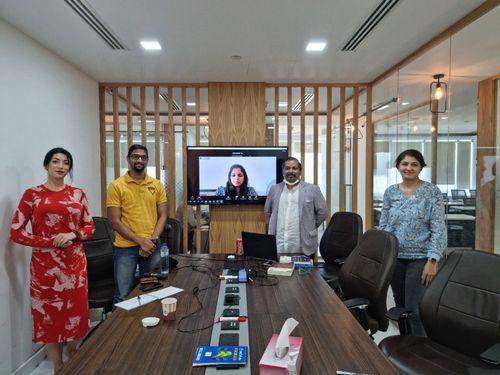
Ashiq
Ashiq is an experienced corporate trainer with over a decade of experience specializing in Power BI, Advanced Excel, and Microsoft tools. He has trained more than 1,000 corporate professionals across diverse industries in the UAE, Qatar, KSA, and India.
At Learners Point Academy, Ashiq delivers expert training in Power BI and data analytics, helping organizations enhance productivity. His sessions are designed to equip professionals with practical skills in Microsoft tools and business intelligence.
Ashiq’s expertise extends to soft skills, including team building, corporate storytelling, and motivational training. This makes him a versatile trainer who addresses both technical and interpersonal development needs.
Core Competencies
- Power BI and Data Analytics Training
- Advanced Excel and Financial Modelling
- Microsoft 365 Management and Integration
- Team Building and Corporate Storytelling
- Presentation and Communication Skills
- Goal Setting and Motivational Training
Professional Qualifications
- Microsoft Certified Specialist
- Train the Trainer Certification
- Professional Soft Skills Training Certification
- MBA in HR and Marketing – Anna University
- BSc in Biochemistry
Professional Experience
- Corporate Trainer, Regency Group for Corporate Management (UAE & Qatar)
- Training Supervisor, Sendan International Company (KSA)
- Senior Trainer, Victoria Management Training LLC (UAE)
- Chief Trainer and Operations Manager, I-Star Skill Development Pvt Ltd (India)
Key Achievements
- Best Soft Skills & Advanced Excel Trainer Award (2021) – National Institute of Skills Training
- Student Quality Advisor Award – Abu Dhabi University
Learners Point Certificate
Earn a Course Completion Certificate, an official Learners Point credential that confirms that you have successfully completed a course with us.

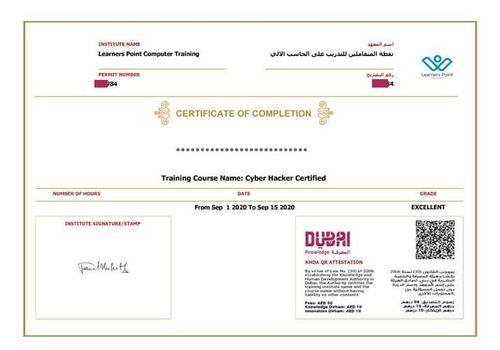
KHDA Certificate
Earn a KHDA attested Course Certificate. The Knowledge and Human Development Authority (KHDA) is the educational quality assurance and regulatory authority of the Government of Dubai, United Arab Emirates.
Related courses
Curriculum
- Overview of Power BI components (Desktop, Service, Mobile).
- Copilot Introduction: How to use AI-powered features for data exploration
- Installing Power BI Desktop and setting up the environment.
- Navigating the Power BI interface: ribbons, panes, and views.
Hands-on Lab: Importing sample datasets and exploring Copilot.
AI-Powered Learning Experience
- AI-Driven Exploration: Query data naturally and receive instant summaries
- Visual Generation: Turn insights into rapid visuals and draft dashboards
- Workflow Acceleration: Use automated Q&A to uncover trends quickly
- Human Judgment: Build reliable data models with business context
- Strategic Control: Retain ownership of logic, accuracy, and decisions
- Connecting to various data sources (Excel, SQL, Web APIs).
- Data profiling, data types, and handling missing values.
- Advanced transformations: merging, appending, pivoting, unpivoting data.
- Using Power Query Editor for complex data shaping.
Hands-on Lab: Transforming raw data into a clean dataset.
AI-Powered Learning Experience:
- Intelligent ETL: Automates profiling, detects anomalies, and speeds preparation
- Smart Transformation: Suggests joins, infers schemas, and optimizes data flows
- Adaptive Cleaning: Builds guided pipelines for high-quality, trusted datasets
- Human Oversight: Applies business rules and compliance-specific adjustments
- Expert Control: Uses domain judgment where AI cannot reliably decide
- Designing star and snowflake schemas.
- Creating and managing table relationships.
- DAX basics: calculated columns, measures, and quick measures.
- Using DAX for basic calculations like SUM, AVERAGE, COUNT.
Hands-on Lab: Building a data model for sales data analysis.
AI-Powered Learning Experience
- Natural Language DAX: Generate formulas from plain English descriptions
- Instant Validation: Check syntax and receive intelligent relationship suggestions
- Faster Reporting: Speed up measure creation and repetitive calculation work
- Human KPI Design: Define meaningful metrics aligned with strategy
- Strategic Insight: Apply organisational context only experienced professionals provide
- Advanced DAX functions: CALCULATE, FILTER, ALL, RELATED.
- Time intelligence functions for date-based calculations (e.g., YTD, QTD).
- Performance optimization techniques: DAX query tuning, minimizing model size (Copilot flags inefficient queries, suggests optimization techniques, and generates reusable patterns).
Hands-on Lab: Creating advanced DAX measures for business insights.
AI-Powered Learning Experience
- Query Optimisation: Detects inefficiencies and recommends performance improvements
- Reusable Patterns: Generates trusted DAX structures and best-practice benchmarks
- Model Efficiency: Speeds calculations and improves overall reporting performance
- Strategic Focus: Frees time to analyse impact and guide decisions
- Informed Judgment: Balances accuracy and speed in high-stakes KPI design
- Building advanced visuals: combination charts, gauges, maps, and custom visuals
- Creating dynamic reports with slicers, bookmarks, and drill-through.
- Designing for user experience: layout, color schemes, and storytelling.
- Best practices for dashboard design and performance.
Hands-on Lab: Creating an interactive sales performance dashboard.
AI-Powered Learning Experience
- Intelligent Design: Receives AI suggestions for visuals, layouts, and colour schemes
- Guided Narratives: Generate automated summaries and accessibility-focused recommendations
- Rapid Prototyping: Accelerate dashboard drafts and optimise presentation quality
- Audience Alignment: Tailor visual stories for executives and decision-makers
- Human Impact: Craft persuasive insights that inspire action and clarity
- Publishing reports and dashboards to Power BI Service.
- Configuring dataset refresh schedules and managing gateways.
- Setting up Row-Level Security (RLS) for data access control.
Hands-on Lab: Publishing and sharing reports with user access control.
AI-Powered Learning Experience
- Intelligent Governance: Monitor refresh cycles and analyse data access behaviour
- Proactive Alerts: Receive failure notifications and smart RLS recommendations
- Operational Efficiency: Reduce troubleshooting time and manual administration effort
- Human Authority: Approve governance changes involving privacy and compliance
- Ethical Control: Ensure accountability in regulatory and policy decisions
- Using Copilot to generate natural language insights and queries.
- Automating data exploration and report generation.
- Implementing Copilot for predictive analytics and recommendations.
Hands-on Lab: Using Copilot for advanced data exploration.
AI-Powered Learning Experience
- Automated Insights: Use Copilot for first-draft reports and scenario planning
- Predictive Scale: Accelerate analysis and share forward-looking recommendations widely
- Faster Reporting: Cut manual effort and speed up decision-ready outputs
- Human Validation: Refine AI results for accuracy and business relevance
- Strategic Storytelling: Translate insights into clear, action-focused narratives for leaders
- Utilizing AI visuals like Key Influencers, Decomposition Tree, and Smart Narrative.
- Conducting clustering, anomaly detection, and forecasting.
- Interactive Q&A with natural language queries.
Hands-on Lab: Applying AI visuals to real-world business data (analysts contextualize AI forecasts for relevance and business meaning).
AI-Powered Learning Experience
- Automated Analytics: Generate forecasts, detect patterns, and surface anomalies rapidly
- Predictive Reach: Share AI-driven insights across teams to empower decisions
- Accelerated Intelligence: Deliver advanced analysis in minutes, not hours
- Human Calibration: Choose correct forecast horizons for realistic planning
- Trusted Judgment: Validate anomalies and predictions using business context and expertise
- Overview of Microsoft Fabric: Synapse, Data Factory, Data Lake, and Power BI.
- Using OneLake for centralized data storage.
- Building Synapse Dataflows for real-time data ingestion (AI automates dataflow creation, pipeline monitoring, and anomaly detection).
- Creating data pipelines for ETL processes and integrating with Power BI (manual oversight ensures enterprise architecture and regulatory governance).
Hands-on Lab: Setting up a Fabric workspace, creating dataflows, and integrating with Power BI.
AI-Powered Learning Experience
- Automated Pipelines: Generate dataflows and recommended architectures with AI
- Real-Time Monitoring: Track workloads and detect issues before disruption
- Intelligent Optimization: Improve pipeline efficiency with anomaly and metadata insights
- Strategic Oversight: Define architecture roadmaps and long-term data direction
- Governance Leadership: Uphold compliance, accountability, and ethical data decisions
Phase 1 – Task & Workflow Design
- Identify 5-7 repeatable BI tasks (data refresh, anomaly detection, dashboard publishing)
- Redesign into AI-driven workflows with clear human validation checkpoints
- Define decision boundaries between AI automation and manual oversight
Phase 2 – Strategic Implementation Choices
- Select 3 areas for Agentic AI implementation with productivity, speed, and scale justifications
- Identify 2 areas requiring manual control with risk, compliance, and ethical considerations
- Develop implementation roadmap with success metrics
Phase 3 – Productivity vs. Risk Analysis
- Quantify AI productivity improvements (time savings, error reduction, scalability)
- Assess risks of autonomous AI operations without human control
- Create governance framework balancing automation with strategic oversight
Assessment Format Options:
Individual: Comprehensive 2-3 page strategic plan Group Workshop: Collaborative whiteboard sessions with team presentations on Agentic AI integration strategies
Learning Outcome: Participants will demonstrate mastery in balancing AI automation with human expertise, ensuring Agentic AI drives productivity while maintaining strategic, ethical, and compliance controls in enterprise environments.
Learn now, pay later
Dive into your course now and pay in installments


Frequently asked questions
The Microsoft Power BI (PL-300) Certification Training is designed to help you master data analysis, visualization, and business intelligence using Microsoft’s powerful BI platform. You will learn how to connect, transform and model data to create interactive dashboards and insightful reports.
This training also integrates AI tools like Microsoft Copilot and an Automation Sandbox for hands-on learning. You will gain practical experience in automating workflows, generating insights with AI and applying data-driven decision-making skills essential for modern analytics professionals.
There are no prerequisites for this course, as all concepts will be taught from the beginning. Whether you are a seasoned analytics professional or a beginner, our Microsoft Power BI Certification Training is designed to prepare you for industry roles. A practical approach will be followed during the training to ensure optimum learning outcomes.
The Power BI Data Analyst Certificate is often not a mandatory requirement. However, having this certificate will give you an extra edge over all the other applicants in a real-world interview scenario. This online certificate adds a lot of credibility to your professional portfolio.
AI tools like Microsoft Copilot simplify complex BI tasks by generating insights, DAX formulas and visuals using natural language. They allow you to experiment with automation, predictive analytics and data storytelling.
Through real-time AI suggestions and intelligent data analysis, you gain both technical mastery and strategic understanding. This helps you work smarter, faster and more accurately with data-driven solutions.
The Automation Sandbox is an interactive simulation environment where you apply AI-driven automation to Power BI workflows. It helps you to:
- Design and test automated data refresh and reporting tasks
- Evaluate Copilot-generated outputs against real-world metrics
- Develop governance models balancing automation with human control
Yes, the Microsoft Power BI Data Analyst Course is aligned with the requirements to crack the exam and many more additional concepts like CoPilot and Fabric.
Skills and practical exposure to tools and technologies like Microsoft Excel, Power BI, Microsoft CoPilot, Microsoft Fabric, Tableau, and SQL are required to be the best candidate for Business Analyst Roles. Use Cases are deciding factors for interviewers in the selection process of candidates. Take a look at our BI Analyst Training for Professionals if you want to learn all of these technologies.
You can apply for several lucrative job roles after completing the Microsoft Power BI Data Analyst program. Some of these are:
1. BI Analyst and Data Analyst
2. Power BI Specialist
3. Data Visualization Specialist
4. AI Data Analyst
5. Financial Analyst
6. Customer Insights Analyst
The following list of industries has huge demand for Business Analyst Professionals in UAE & GCC countries:
1. Banking and Financial Institutions
2. Government and Public Sectors
3. Oil and Gas
4. Real Estate and Construction
5. Healthcare and Pharmaceuticals
6. Logistics and Transportation
7. Startups in Various Fields
8. And many more, like P&G, Unilever, Nestle, Accenture, Deloitte, etc.
You can attend the classes of the Microsoft Power BI Data Analyst Course in our classroom facility in Dubai. Please speak with our advisor to get the exact location. If you are from outside the UAE, you can attend our classes online from anywhere across the globe. A hybrid training mode is available.
At Learners Point, a learner’s satisfaction with the training and confidence after the training is of utmost importance. We provide lifetime access to the sessions for you. You can attend multiple batches of the program till you are confident about all the concepts.
Yes! You can enrol with us by availing easy instalment options with Tabby or Tamara.
We also provide No-Cost EMI options with certain Credit Cards. Talk to our advisors for accurate information.
Our Microsoft Power BI Data Analyst training program is designed to give you a clear conceptual understanding. A minimum of 24 Hours of training is required for someone to ace the PL-300T00 Exam.
Complete daily assignments to track your knowledge. Use Case to check your implementation capabilities. If you still believe you need to revise the concepts, you can attend multiple batches with us owing your Lifetime Access to the Program.
Do you want to learn more about Learners Point Academy?
- Learn more about courses
- Understand about our methodology
- Let’s talk about Corporate trainings
- Anything else that you want to know, we are here for you!